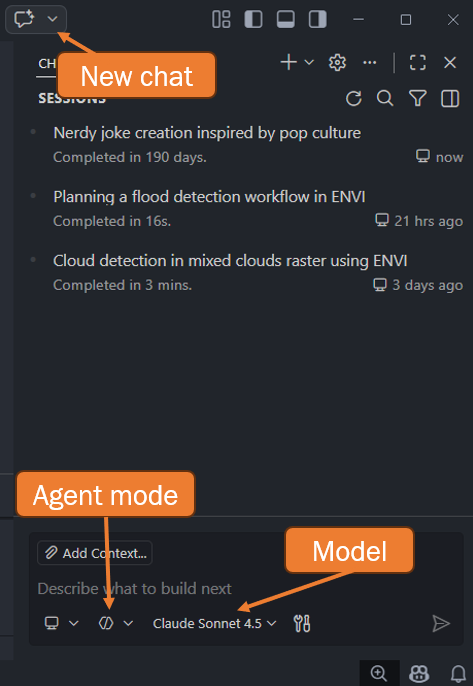
Agent Mode
Key Takeaways
Agent mode unlocks the full power of GitHub Copilot's integration with IDL and ENVI. Look for the hexagon icon in your chat to confirm you're in the right mode.
What You Need: Agent mode enabled (hexagon icon) next to the model being used
Why It Matters: Agent mode gives GitHub Copilot access to MCP tools, enabling it to run IDL, execute ENVI workflows, and take actions on your behalf.
Here's a screenshot showing what to look for: